01 / EXPLAIN
Get past the wording.
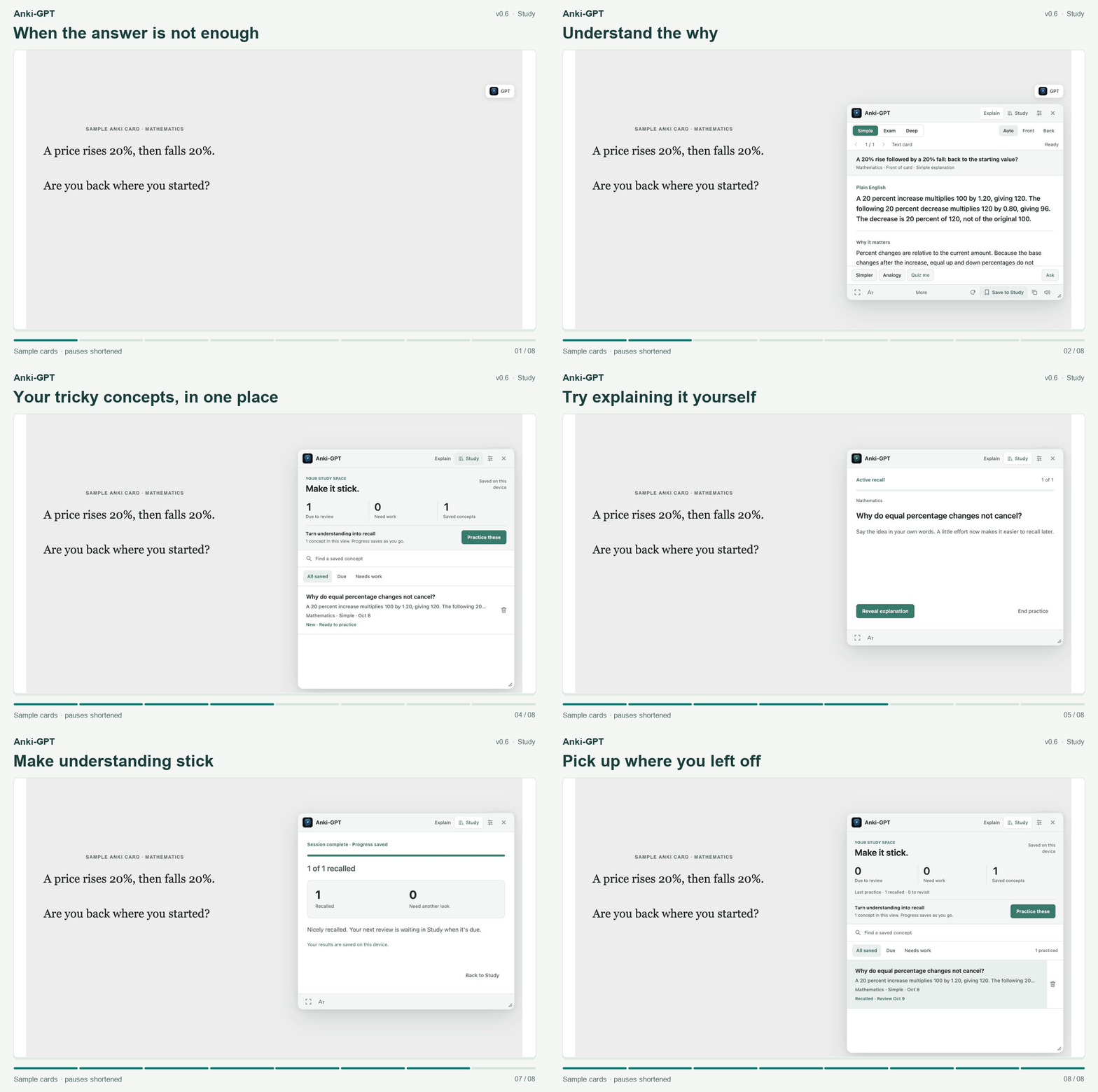
Open an explanation of the card you’re reviewing. Ask a follow-up, try an analogy, or go deeper into how it works.
An AI add-on for desktop Anki
Anki-GPT explains your text and image cards while you study. Ask a follow-up, save the explanation, and practice it until you can explain it yourself.
75 free hosted explanations · No API key to set up · For desktop Anki
A medical card. The mechanism. Then a chance to recall it.
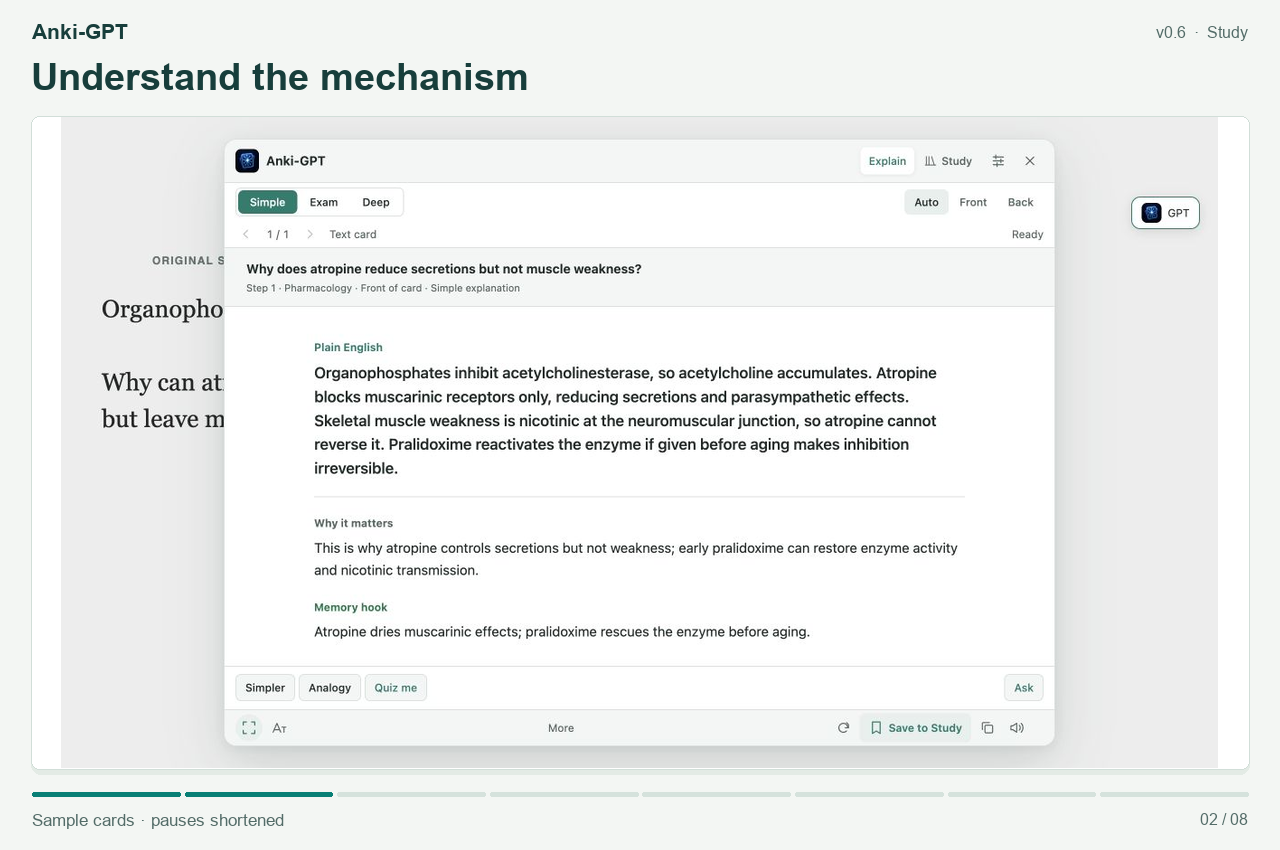
Original sample card. Pauses shortened. Watch the mathematics demo.
An original pharmacology question opens in Anki: why atropine reduces secretions but does not reverse muscle weakness in organophosphate poisoning. Anki-GPT explains the muscarinic and nicotinic receptor distinction. The explanation is saved to Study, practiced with the answer hidden, revealed, and rated. Study then shows the saved progress.
Go from the first “why?” to your next attempt without leaving your Anki review.
Open an explanation of the card you’re reviewing. Ask a follow-up, try an analogy, or go deeper into how it works.
Save useful explanations to Study. Search your concepts, or open Due and Needs work to choose what to revisit.
Keep the answer hidden until you’re ready. Reveal, rate your recall, and take another pass through the concepts you missed.
Help at the depth you need
Simple gives you the plain-English idea. Exam brings out the clue and the reasoning. Deep walks through the mechanism and connections.
2.7s median in our small release sample
Six synthetic checks during the v0.6 release returned replies in 1.7–4.0 seconds. This historical sample is not a speed guarantee; response times vary.
The updated AI handles text cards, image cards, diagrams, and follow-ups, with support for up to three attached images.
Move or resize the panel, turn on Focus, and increase the text size. Open it from the reviewer button or your own keyboard shortcut.
Study keeps your saved concepts and practice progress in your local Anki profile. Reopening a saved explanation doesn’t use another hosted explanation.
Study’s Know it and Again ratings set local reminders for saved explanations. They don’t change your Anki card schedule.
One less reason to leave your cards
Try Anki-GPT with 75 free hosted explanations. No API key to find, manage, or plug in.
After the trial, optional Supporter access is
$3/month or $24/year.
In desktop Anki: Tools → Add-ons → Get Add-ons.
Paste the code, install, then restart Anki.
Anki-GPT is an independent desktop Anki add-on that explains the card you are reviewing. It works with text and images, supports follow-up questions, and lets you save explanations to Study for hidden-answer recall practice.
The add-on is free to download. You can try 75 hosted explanations without setting up an API key. After that, optional Supporter access costs $3 per month or $24 per year. Reopening a saved explanation does not use another hosted explanation.
In desktop Anki, choose Tools → Add-ons → Get Add-ons, enter 853364085, and restart Anki. Then open a card in the reviewer and click the GPT button. The step-by-step guide shows what to do next.
Yes. You can ask about text cards, image cards, and diagrams, with up to three attached images. Image quality and missing context can affect an answer, so check the explanation against your source.
No. Study saves explanations and sets local reminders when you choose Know it or Again. Your normal Anki card schedule stays separate.
Saved Study explanations and practice progress stay in your local Anki profile. New AI requests send card content, attached images, questions, and relevant conversation/review context to the hosted service. Request context and responses may be cached there for up to 30 days. Avoid patient identifiers and other private material. Read the privacy details.
Payment, privacy, and troubleshooting · Ask a question or report a bug
Study bookmarks and practice progress stay in your local Anki profile. New AI requests need an internet connection and send card content, attached images, questions, and relevant conversation/review context to the hosted service. Request context and responses may be cached there for up to 30 days.
Don’t submit patient identifiers, private client data, or material you aren’t allowed to share. AI can make mistakes; check important facts against trusted sources.